
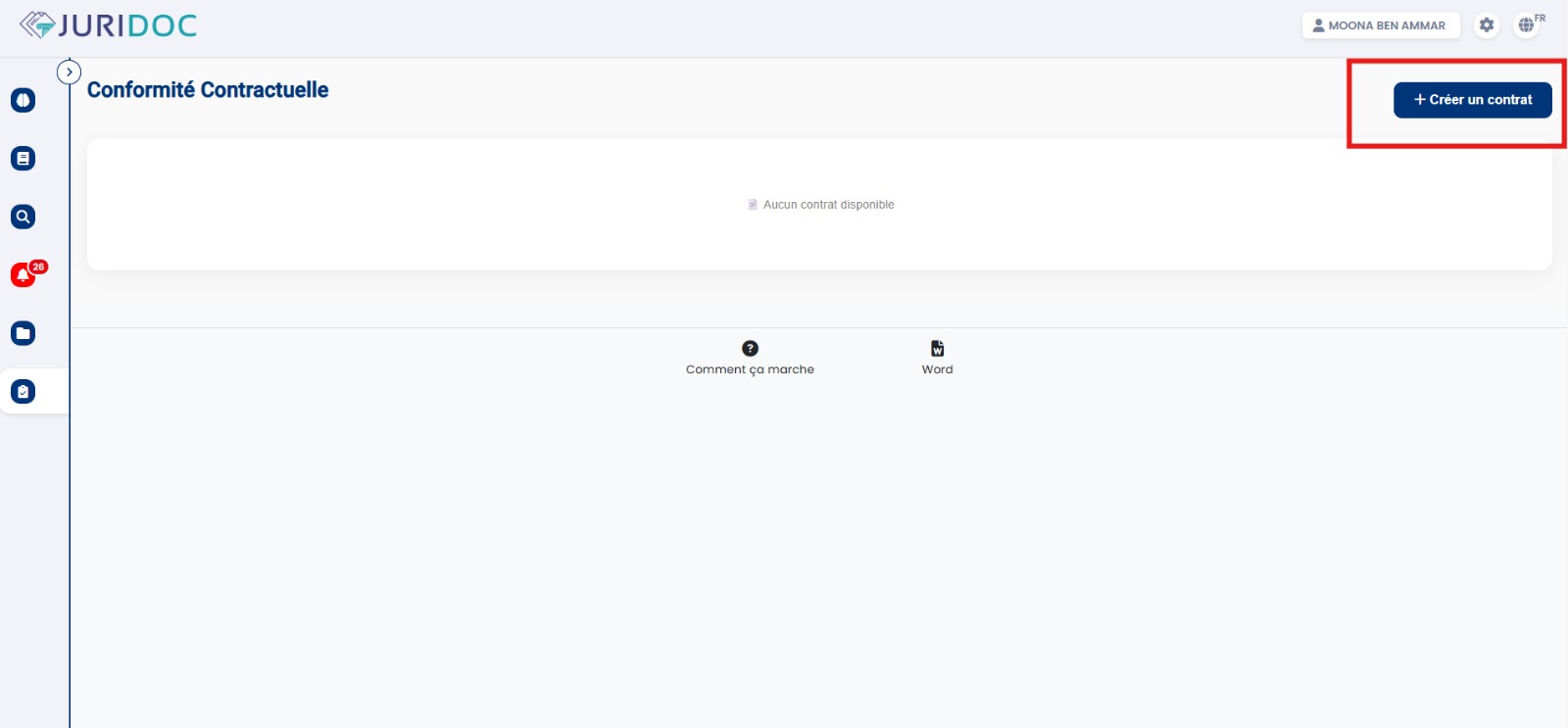
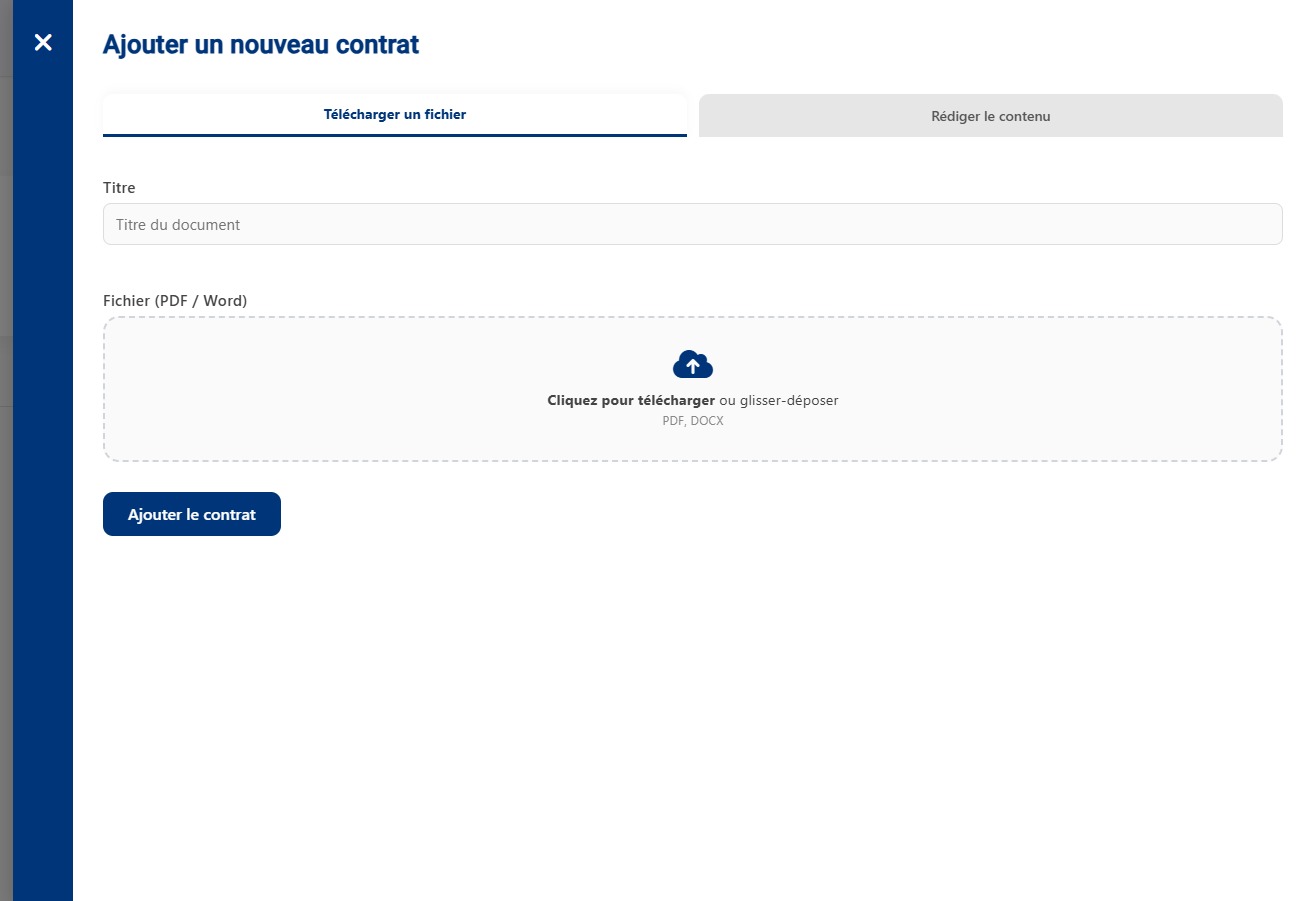
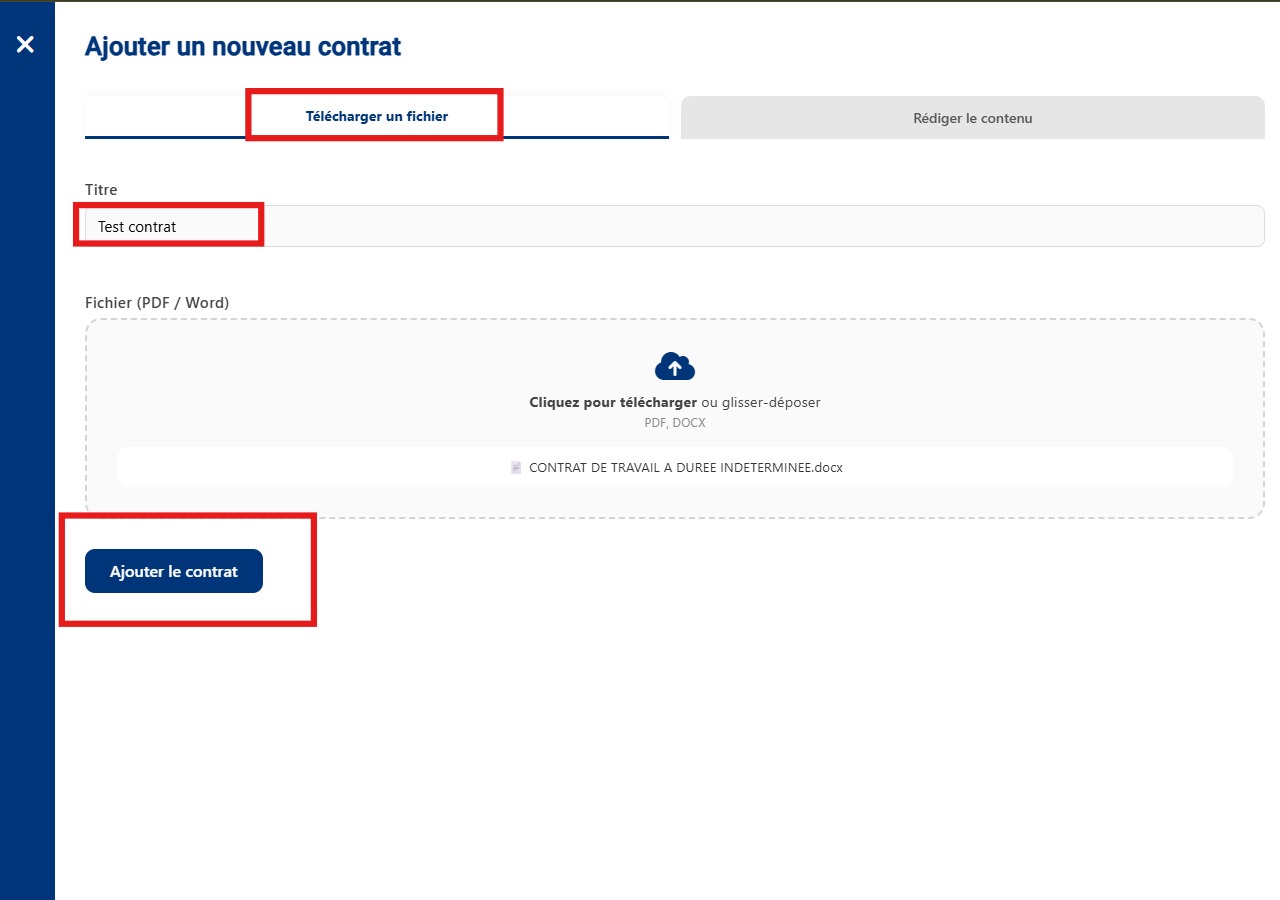
Start by clicking the "Create a contract" button.
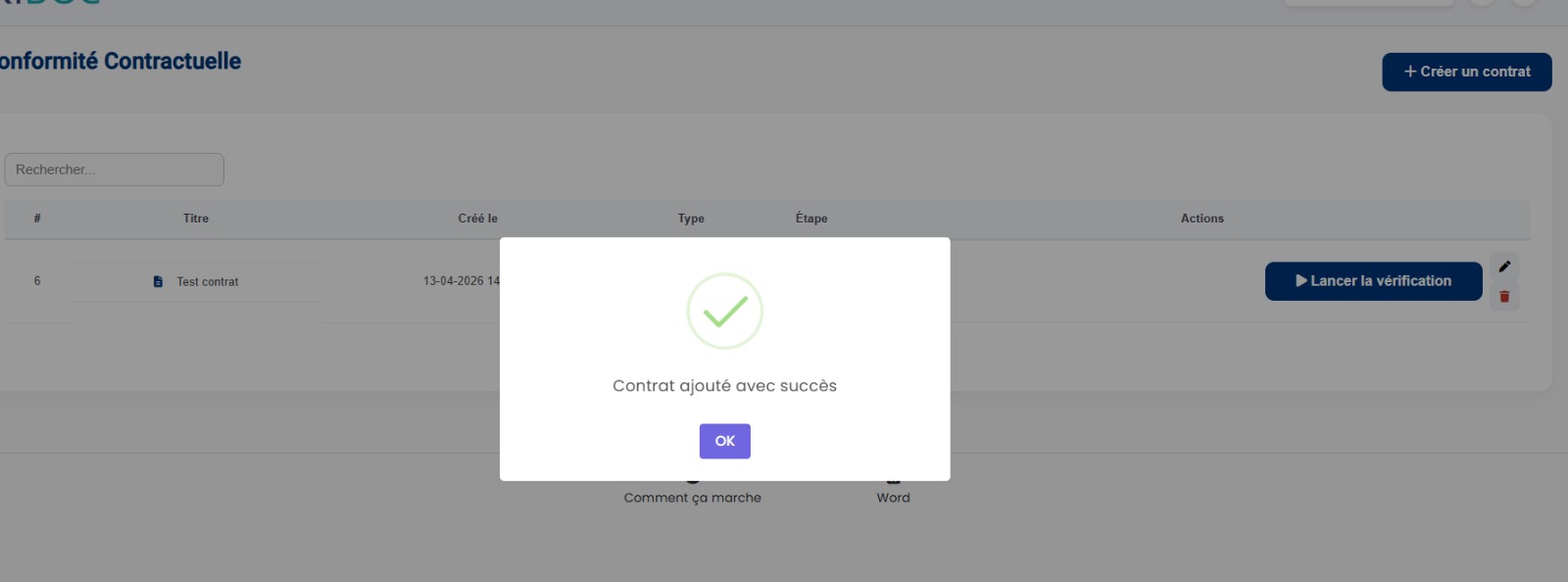
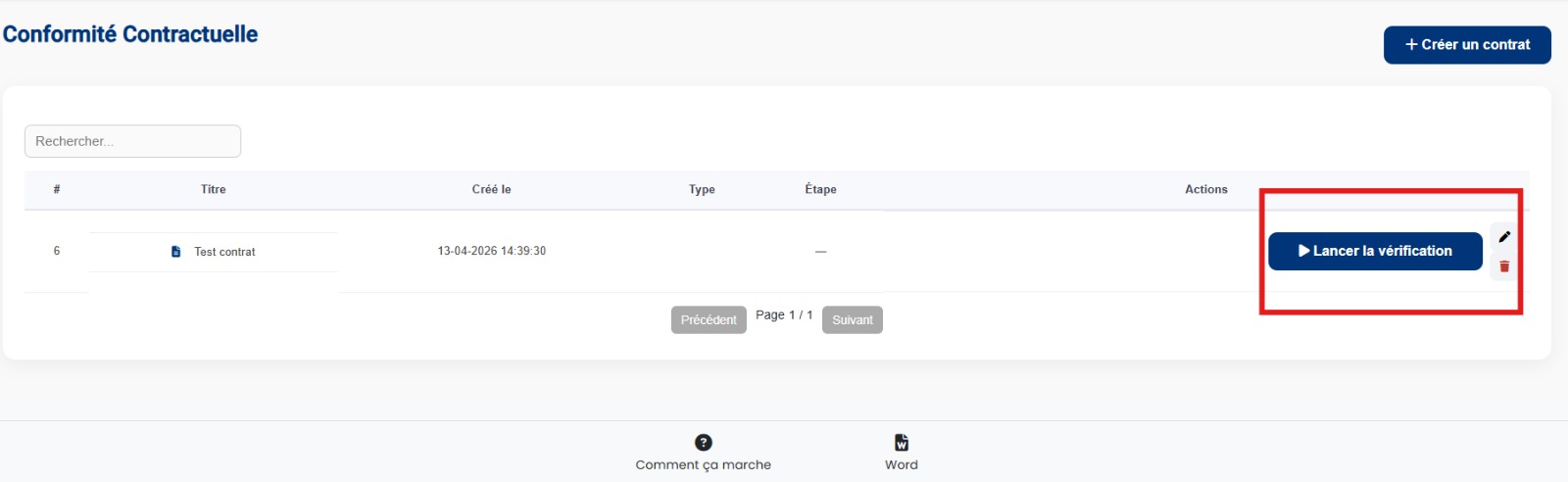
Once the contract is added, click on "Start verification".
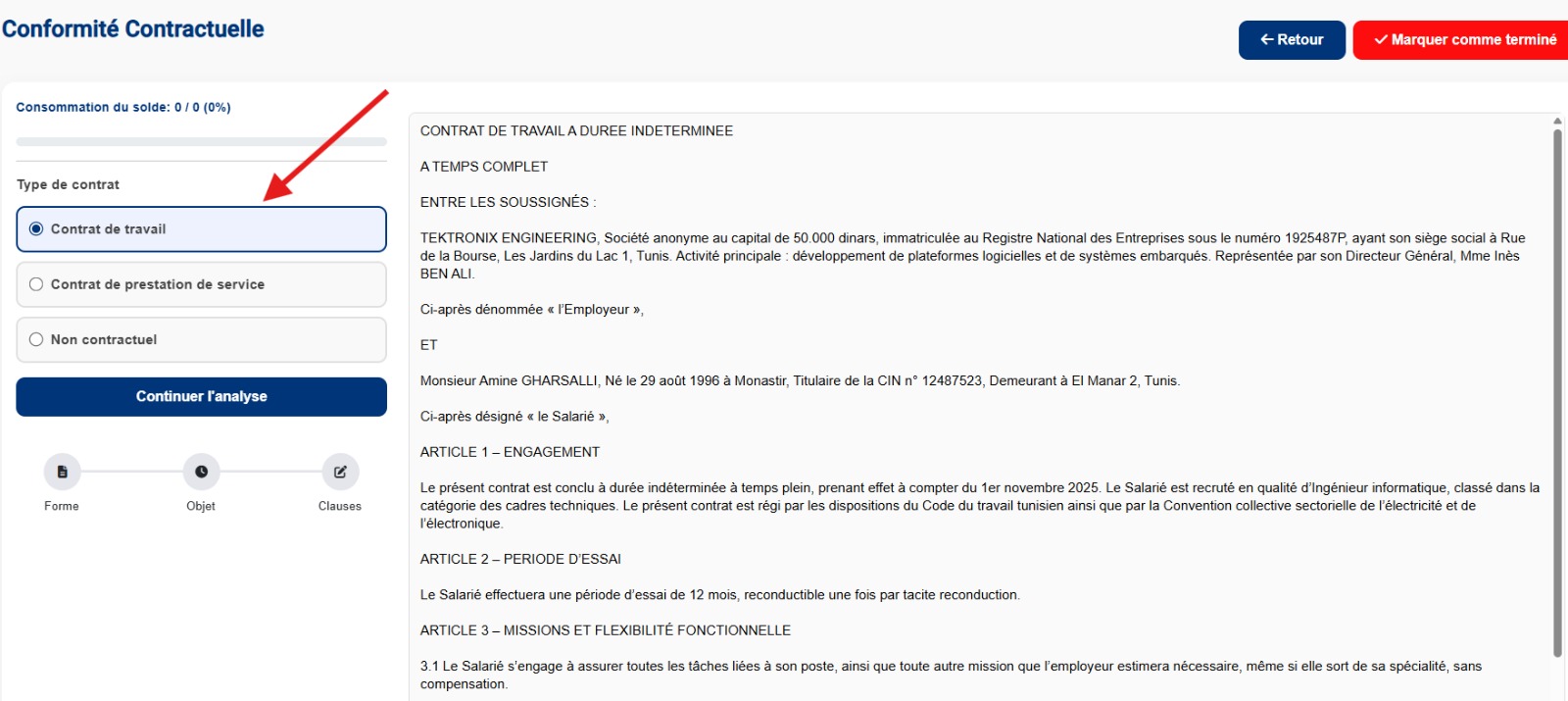
The system analyzes the contract to automatically identify its type.
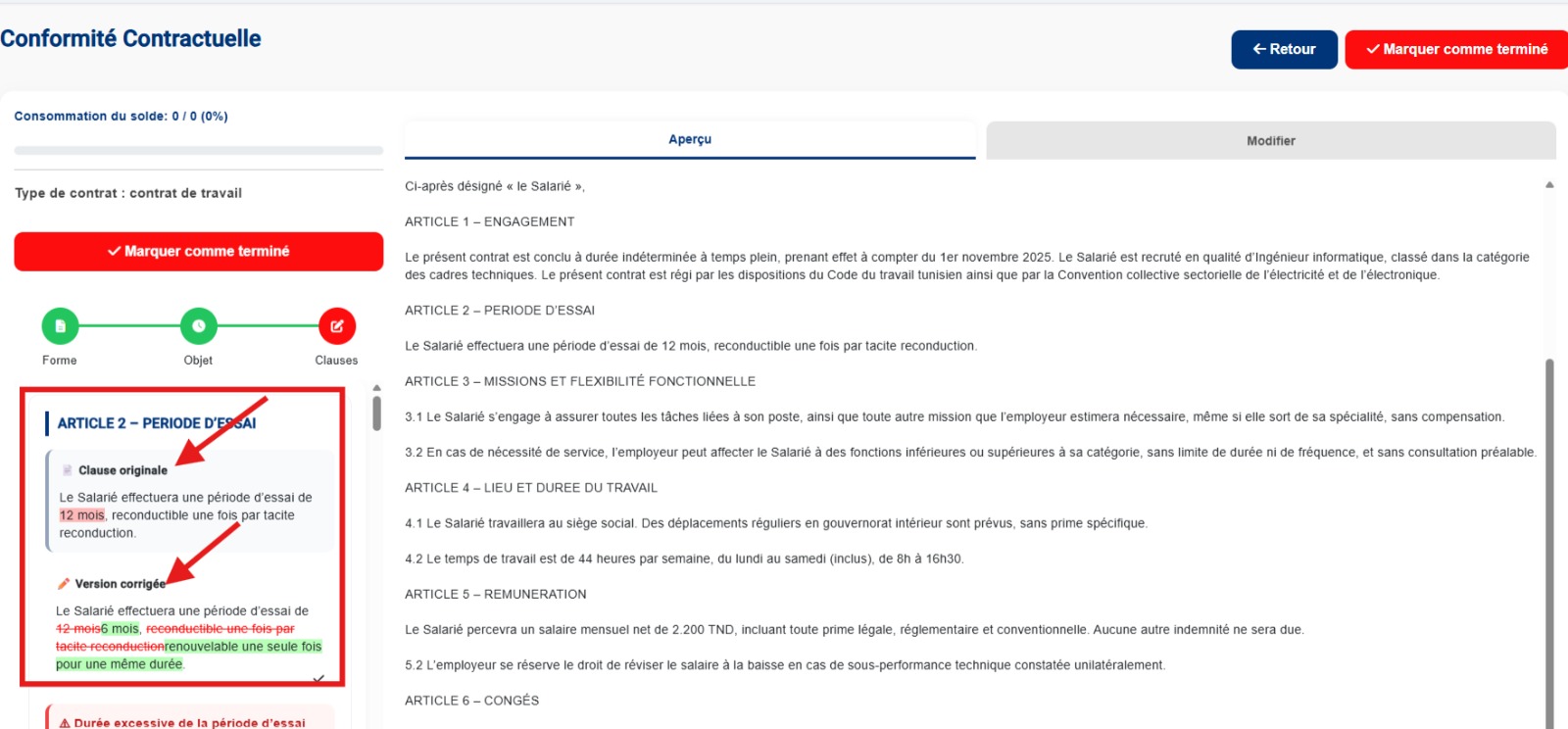
The tool analyzes the content and suggests corrections to ensure document compliance.
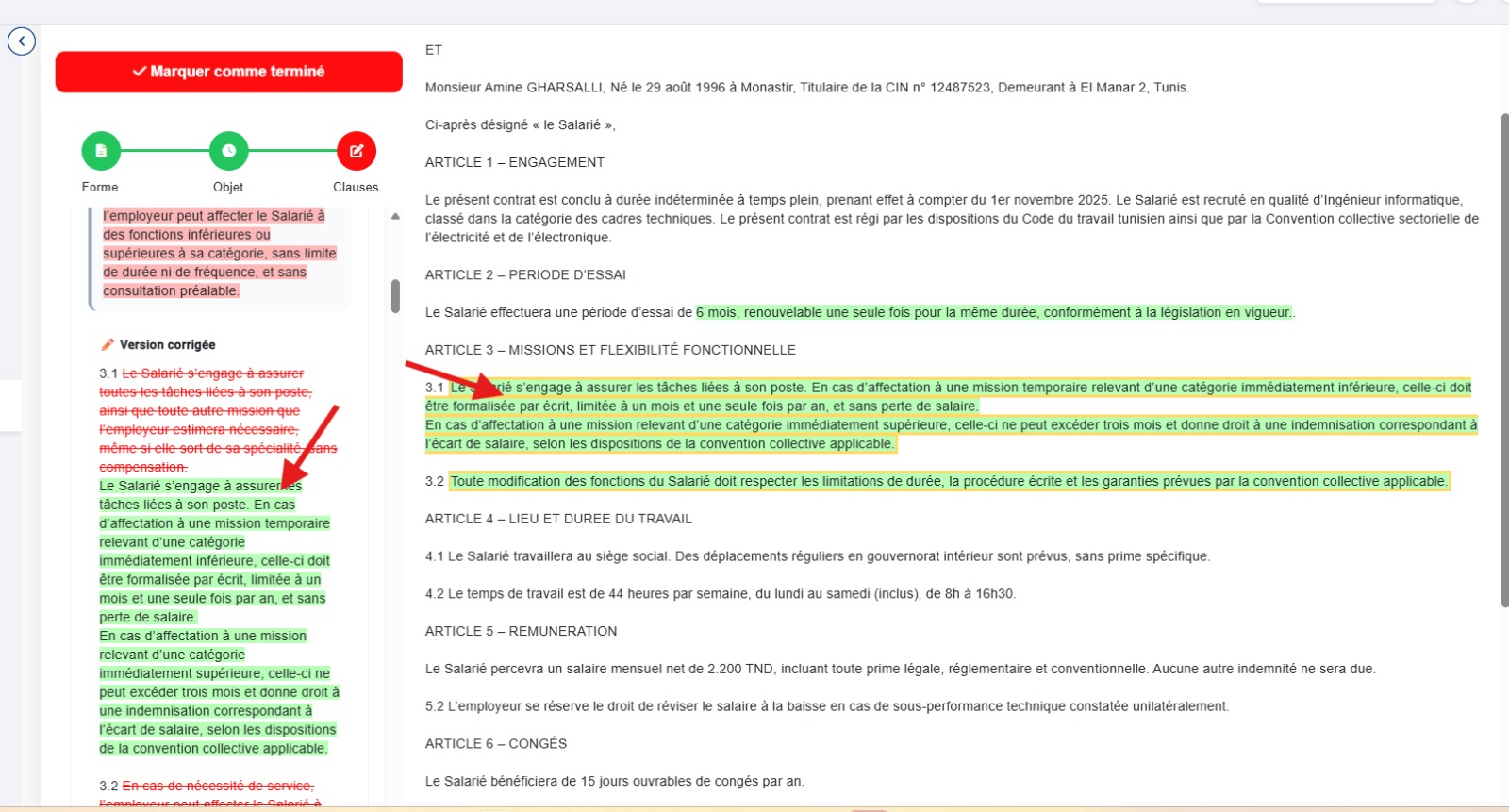
Click on "Corrected version" to replace the contract text with the updated version.
Access your contracts and integrate them directly into your documents
